Best Text to Speech for Streaming
Crisp donation alerts, chat reads, and overlay audio for Twitch, YouTube, Kick, and OBS. Generate MP3 in seconds — pair with Streamer.bot for a pro setup without Google Cloud billing headaches.
 Stream alerts
Alert to MP3
Stream alerts
Alert to MP3
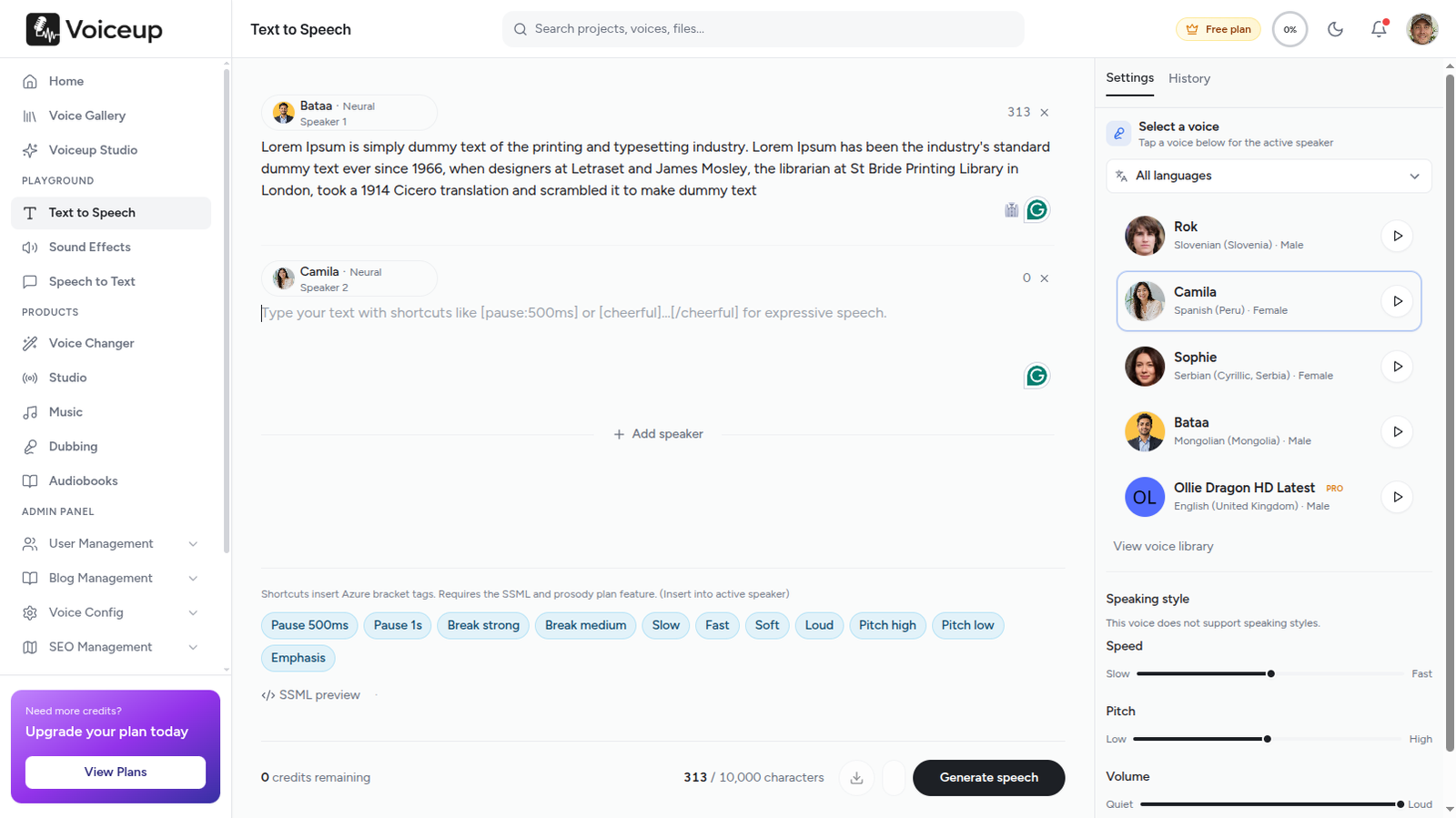
Write your alert script, pick a voice, export MP3 for OBS
Why streaming TTS matters
Live streaming runs on moments. A donation lands, a sub rolls in, chat spams a meme — and your overlay has milliseconds to react. Browser TTS sounds thin and unpredictable. Google Cloud TTS works but adds billing complexity and latency that breaks comedic timing.
Pre-generated Voiceup clips solve the core problem: you control every word, every pause, and every voice before you go live. Wire MP3s into OBS or Streamer.bot and trigger them instantly — no render queue, no API keys mid-stream.
Old way vs Voiceup
Complete guide
The best streaming text-to-speech is not the one with the most voices — it is the one that handles weird usernames, reads numbers naturally, and exports to your alert stack without friction. Latency matters for live chat TTS, but for donation alerts and sub reads, pre-generated audio wins every time because playback is instant and quality is consistent.
Write your alert template first: "Thank you {donor} for the {amount} dollars!" Keep messages under 500 characters — longer reads lose viewer attention during hype moments. Paste into Voiceup, pick a voice that matches your channel vibe, and preview with a real-looking username like xX_DarkSlayer69_Xx. If the TTS stumbles, rewrite or simplify.
Download the MP3 and import into Streamer.bot as an action sound, or add directly as an OBS Media Source in your Alerts scene. Route audio through your stream mixer so alert volume matches game audio. Test offline before going live — trigger the action manually and confirm timing, volume, and scene visibility.
Just Chatting streamers use TTS for donation and sub thank-yous so they never break conversation flow. VTubers layer pre-gen alert reads under reactive overlays. Multistream creators generate once and play across Twitch, YouTube, and Kick simultaneously. Compilation editors pre-render funny chat moments for Shorts and TikTok clips.
Personalized thank-you audio that sounds produced, not text-to-speeched. Template variables from Streamer.bot fill in donor names and amounts — Voiceup handles the voice performance.
Spin a new alert read while chat is still typing — no render queue.
Deep, silly, dramatic, and character voices for viral alert moments.
Export clips and wire into actions for subs, bits, raids, and channel points.
Drop audio into scenes as a media source — full mixer control.
Pause before the punchline. Emphasis on the donor name.
| Approach | Best for | Latency | Audio quality |
|---|---|---|---|
| Voiceup + Streamer.bot | Custom alert reads, meme voices | Instant (pre-generated) | High — neural voices |
| Google Cloud TTS API | Live chat TTS at scale | ~200–400ms | High — billing per character |
| Browser TTS widgets | Quick tests | Low | Variable — often robotic |
| Local AI (BetterTTS) | Privacy, unlimited messages | GPU-dependent | Good — requires setup |
Most pro streamers mix pre-generated Voiceup clips for alerts with a live chat TTS layer for real-time messages.
By the numbers
Latency and clarity matter on live streams. Pre-generated Voiceup clips sound sharper than browser TTS — and you control every word.
<60s
Alert to MP3
600+
Voice options
MP3
OBS-ready
Why this fits
Spin a new donation alert read while chat is still typing — no render queue.
Deep, silly, dramatic, and character voices for viral alert moments.
Export clips and wire into actions for subs, bits, raids, and channel points.
Drop audio into scenes as a media source — full mixer control.
Pause before the punchline. Emphasis on the donor name. Control pacing like a director.
Pre-generate approved alert scripts instead of reading raw chat live.
Workflow
The exact steps creators in this space follow with Voiceup — copy them on day one.
"Thank you {donor} for the {amount} dollars!" — template variables work in Streamer.bot.
Test with weird usernames — if it handles "xX_DarkSlayer69_Xx", you're good.
Download and import into your alert sound library or Streamer.bot action.
OBS plays the clip; you stay focused on content instead of reading donations live.
Voice picks
Suggestions based on what teams in this space actually pick — start here, then explore the full library.
Brian
Classic meme alert
James Park
Hype donation read
Marcus Cole
Chill stream vibe
Browse the full voice library inside the studio. Open Voiceup
In the wild
Personalized thank-you reads that sound produced, not text-to-speeched.
Pre-render funny chat moments for compilation videos and shorts.
Loop-friendly station IDs and break messages in your brand voice.
Same alert audio across Twitch, YouTube, and Kick with one generation.
Follow this before your next stream — it prevents silent alerts and volume spikes mid-broadcast.
Add a dedicated scene for donation overlays and TTS audio. Keep it separate from your game capture so alert sources do not interfere with gameplay recording.
Import your generated alert clip. Disable "Restart playback when source becomes active" for one-shot alerts. Set volume to -6 dB as a starting point and adjust in your stream mix.
Create an action triggered on donation or sub events. Point it to your MP3 folder or use dynamic TTS routing. Test with the manual trigger button before going live.
Generate sample reads with alphanumeric names, underscores, and numbers. If TTS stumbles on xX_DarkSlayer69_Xx, simplify the script or pick a clearer voice.
Stack multiple donations in 10 seconds and alerts overlap. Add a 3–5 second cooldown in Streamer.bot so each read finishes before the next triggers.
Route alert audio through your monitoring mix. Confirm volume matches game audio and mic levels before your first live trigger.
FAQ
Try the workflow
Open the studio, paste your alert script, and listen. The fastest test is your own ears.
No credit card required · Cancel anytime


Keizersgracht, Amsterdam, Netherlands
Voiceup is subscription-based AI text-to-speech software for creators, educators, and teams. Convert text into natural narration using licensed synthetic voices for learning, productivity, and accessibility.
This platform does not provide voice cloning, impersonation, celebrity voice replication, deepfake audio, NSFW generation, or tools intended to infringe third-party rights.
Copyright 2020-2026. All Rights Reserved Voiceup